Archive Post
Cloud Telephony Service- A must-have for Startups
Customer interaction is very important for a startup to succeed.Technology can help startups succeed not only by allowing them to serve customers in innovative ways but also help them by answering queries effectively and in a timely manner.
Feeling the pulse of an industry is essential to the success of a company as is keeping customers satisfied. A cloud telephony system allows startups to feel an industries pulse, and to also serve their customers well because it is a technology that uses virtual or cloud-hosted numbers and does not demand additional infrastructure.
What are the other advantages of a cloud telephony system?
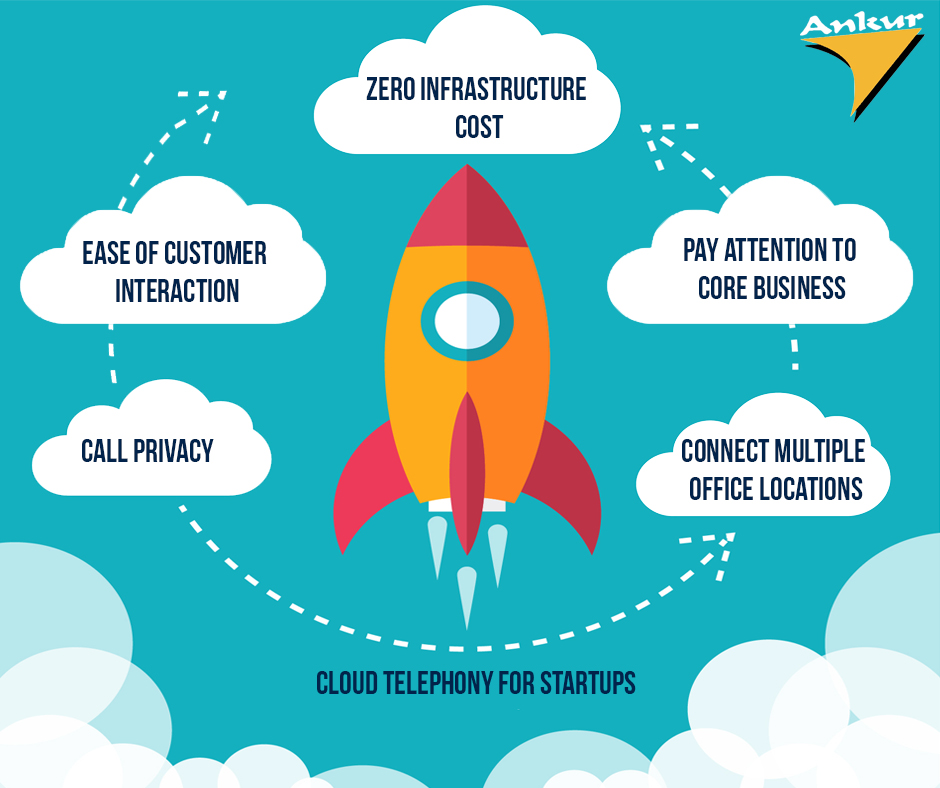
Zero Infrastructure Costs
Many successful startups were conceived to disrupt an existing business model. Because startups are disruptive by nature, it is imperative for them to find ways to incorporate a disruptive model in their daily functioning. This means saying goodbye to traditional PBX/EPABX infrastructure and replacing it with cloud telephony services. Often, a traditional phone system can be hugely inconvenient if and when a start-up decides to relocate to a different office or if such a system fails and demands the operators help to become functional again. Not only does cloud telephony not demand the installation of additional infrastructure, but any maintenance or troubleshooting issues that it faces can be solved extremely rapidly. This ensures that startups face near zero downtime in interacting with customers and in resolving their queries.
Ease of Customer Interaction
Start-ups that use cloud telephony can receive multiple calls in parallel as well as analyse and record such calls to better monitor the performance of the customer support team. Cloud telephony also allows startups to efficiently route calls and track time taken for each call. The that takes calls can also be better coached to answer queries, and competent agents can be promoted. Suitable action can be also taken against poorly performing customer support agents. Analysis of customer’s calls using cloud telephony makes such actions possible.
Cloud Telephony Assures Call Privacy
Many customers today associate a phone number with a certain business or company. This can result in unscrupulous individuals using a number that customers are familiar with and impersonate a trusted company by making fictitious calls. However, cloud telephony enables a startup to mask its number and prevents individuals from emulating a fictitious call.
Startups Can Pay Attention to Core Business
A startup needs to channel its efforts into its core business. Hence, allocating valuable financial resources and employees to help interact with customers can be distracting. Cloud telephony will not only help serve customers better but will do so at a fraction of the cost of a more traditional medium.
Connect Multiple Office Locations
An advantage of the single virtual number created by cloud telephony is that it allows multiple offices separated by large distances to remain connected. Often, such a number can become associated with the startup’s brand and in turn, perform a role in brand building. Additionally, cloud telephony also allows a startup to create a unified communications strategy that has now evolved beyond a simple telephone number and website, encapsulating social media, chatbots and CRM systems. Cloud telephony complements other communication channels by seamlessly connecting a business across the globe and allowing the creation of a broader communication narrative to the world.
source:https://yourstory.com
How do you make your Collaborative Meetings Better?

Today’s employee has certain expectations when it comes to meetings. If conference rooms are not up to date with the latest technologies, chances are companies will struggle to host valuable, engaging and efficient meetings. They will struggle communicating their voice. There are certain AV trends that you should consider incorporating into your meeting spaces.
Wireless Presentation
Without collaboration, almost every meeting is the same: the leader is the sole presenter, and no one else contributes. Why? Because sharing screens and information is a hassle. Cords need to be unplugged and plugged back in, settings need to be adjusted, and half the time attendees can’t figure out how to make their screens or files visible to everyone else.
The increasing popularity of mobile technology in the workplace and Bring Your Own Device (BYOD) company cultures favour the use of a mix of tablets, smartphones and laptops for collaboration purposes. If a wireless set-up is not in place, there will be a need for Apple, Windows and Android-compatible cables or adapters to ensure the ability to share screens whenever it’s needed to present content in business meetings.
Such a scenario can be overcome using a wireless presentation system which provides desktop mirroring, allowing users to cast and control what they share on the big screen completely wirelessly. This system enables users to showcase presentations, create engaging discussions and effortlessly switch between various computer platforms in any meeting space.
Wireless video presentation trends:
- Remote screen sharing and multi-site collaboration
Multi-site collaboration allows team members to connect to a currently running presentation or meeting from remote locations without having to be physically present. This enables a truly collaborative experience where everyone is seeing the same thing at the same time. - Safe and secure dual-network mode
Companies should be able to leverage their existing network infrastructure by connecting wirelessly, over a wired network or using both at the same time without sacrificing network security, while also safeguarding the confidentiality of your data. - Easy to use and “dongle-free”
Wireless presentation devices should be easy to set up and easy to use, enabling users to walk into a conference room and start collaborating through a mutual big screen without any hiccups or constraints. Users are connected wirelessly – without the use of any costly hardware – with their preferred device and, as such, are spared from unnecessary extra work or technological clutter.
Conference Room Booking
The Wall Street Journal reported that design flaws and poor scheduling frequently disrupt, prevent or stall meetings in many businesses today. When lacking room booking systems, employees run into scheduling problems and experience tremendous frustration daily. In fast-paced business environments, there’s a need to effectively manage the occupancy of multiple meeting room spaces so that every user can have appropriate allocated slots fit into his/her schedule. Nowadays, online meeting calendars at the entrance of meeting rooms or at reception desks are becoming increasingly common.
Conference room booking trends:
- Intelligent integrated room reservation
The room booking system should enable intelligent scheduling, fully integrated with online email calendars for real time updates on room occupancy, preventing double-bookings. Intelligent integrated systems allow for easy, immediate room reservations from a touch panel, as well as easy extension or cancellation of existing meetings from any computer or smartphone or directly on the room´s touch panel. - Realtime room status
The touch panel should be able to show the current status of the room, reservation calendar, and more. - Compatibility with a variety of email calendars
When choosing your intelligent room reservation system, it is important to ensure compatibility with different online email calendars like Outlook, Microsoft Office 365, Microsoft Exchange Server and Google Apps from Work. This will allow the system to be used despite future changes in the organisation’s email services.
Conference room automation and smart room AV control
Are you still searching for remote controls and the “right” cable to get started? Following the rising trend of automation and smart buildings, conference rooms are becoming more connected and automated than ever. AV systems, including projectors, sound, screens as well as lights and window shades, should be easily managed in a centralised fashion.
AV control trend:
- Accurately control every aspect of the meeting room
Allow users to prepare everything needed right at the start of the meeting, through Ethernet, serial, IR, digital I/O, and relay device control, locally or remotely. AV room controllers provide multimedia integration, lighting automation, security monitoring, and meeting and presentation control. This is especially suitable for meeting rooms, conference rooms, boardrooms, and high-tech homes.
The ability to collaborate different AV solutions is the key to office meetings with real value from beginning to end. It starts with seamless integration that easily accepts various devices operating on different platforms, a secure network for attendees working locally and remotely, and programs that let all meeting attendees share content.
source: avinteractive.com